
Week of 2026-11-02 for Smile Dental (sample). Forward this on WhatsApp. Nothing is sent until you approve.
ApproveEdit
AI Agents for Growing Businesses
AIdentify brings enquiries, follow-ups, payments and everyday tasks into one platform. AI agents help prepare the work, while you stay in control of what happens next.
No credit card required. You approve every outgoing message.
Smile Dental (sample) · Hyderabad. Key figures are on this page.
Week of 2026-11-02 for Smile Dental (sample). Forward this on WhatsApp. Nothing is sent until you approve.
Hi Vikram Shah, thank you for coming to Smile Dental (sample). DEMO message — nothing is sent until you approve.
The problem
Small business owners spend too much time managing repetitive tasks instead of focusing on customers and growth.
Potential customers contact your business, but responses get delayed when you are busy.
Interested customers lose interest when nobody follows up at the right time.
Payment reminders get delayed because there are other important tasks to manage.
Customer details, conversations, enquiries and payments are difficult to track when information is spread across different places.
You spend more time managing daily operations and less time building your business.
The solution
AIdentify brings AI agents into one platform to help organise everyday business work and prepare tasks faster. The draft is ready; the send is still yours.
Lead capture, follow-up, onboarding, content, client reporting and invoicing.
Keep contacts, companies, enquiries and invoices together in your AIdentify workspace.
Connect your AI key and ask Chief about enquiries, drafts and unpaid invoices. Saved chats stay in the sidebar.
New enquiries and appointment requests in one place. You choose which new contacts to accept.
Festival and seasonal posts are drafted for you, and a post only shows as published once it's actually live.
Invoices in rupees with Razorpay and UPI. A payment shows as paid only once it's actually paid.
The advantage
Keep customer enquiries organised and prepare replies without starting from scratch every time.
Identify customers who need attention and prepare timely follow-up messages.
Manage invoices, monitor pending payments and prepare payment reminders.
Review, edit, approve or reject every outgoing draft before it is sent.
How it works
Name, city, what you sell, and who you want to reach. Digital marketing is the first industry.
Follow-ups, festival posts and invoices are prepared from the records you already keep.
Nothing is sent or published until you approve it.
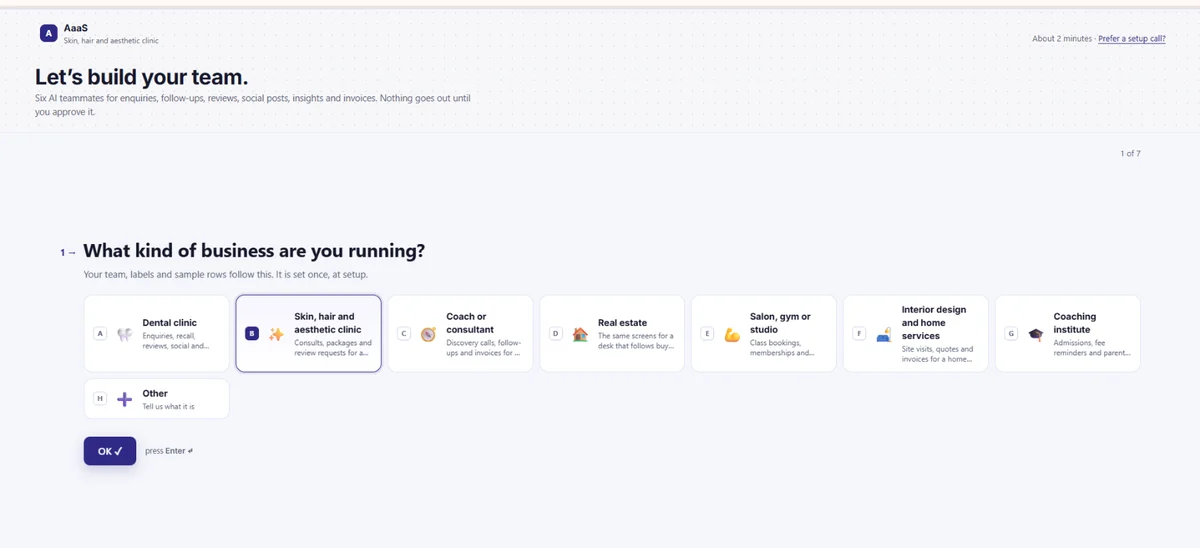
Choose your business type. AIdentify adjusts its agents and terminology to your industry.
Set up your business workspace in a few steps. No credit card required.
Select the business city.
Add the services the business offers.
Choose the customer groups to reach.
Connect a supported AI provider with your own API key. Provider charges may apply.
Edit, approve or reject drafts before they are sent through a connected channel.
A quick look
Seven steps to your AI team.
Who it’s for
One product. The words match the work. Each industry pack changes the labels and sample rows while the workspace and approval process stay familiar.
Keep leads, retainers, reports and invoices in one desk. You approve every message. Explore this workspace
Manage bookings, enquiries and invoices. AIdentify is for admin—not medical records or advice. Dental clinic · Skin, hair and aesthetic clinic
Keep enquiries, client follow-ups and invoices together. You approve every message. Explore this workspace
Organise leads and prepare personal follow-ups. You stay in charge of every conversation. Explore this workspace
Keep bookings and customer follow-ups organised. Review reminders before they’re sent. Explore this workspace
Track enquiries, visits and invoices in one place. Approve messages before they go out. Explore this workspace
Organise student enquiries and fee reminders. You choose what gets sent. Explore this workspace
Get a simple workspace for customers, follow-ups and invoices. Explore this workspace
Use cases
Keep new customer enquiries organised and prepare replies quickly.
Identify customers who need attention and prepare individual follow-up messages.
Track invoices, update payment status and prepare payment reminders.
Prepare reports using your business records, follow-ups and payment information.
Prepare social media content for review and approval before publishing.
Prepare onboarding messages and checklists for new customers.
Features
Ask about your business records, enquiries, pending tasks and payments. Chief can answer based on the information in your workspace.
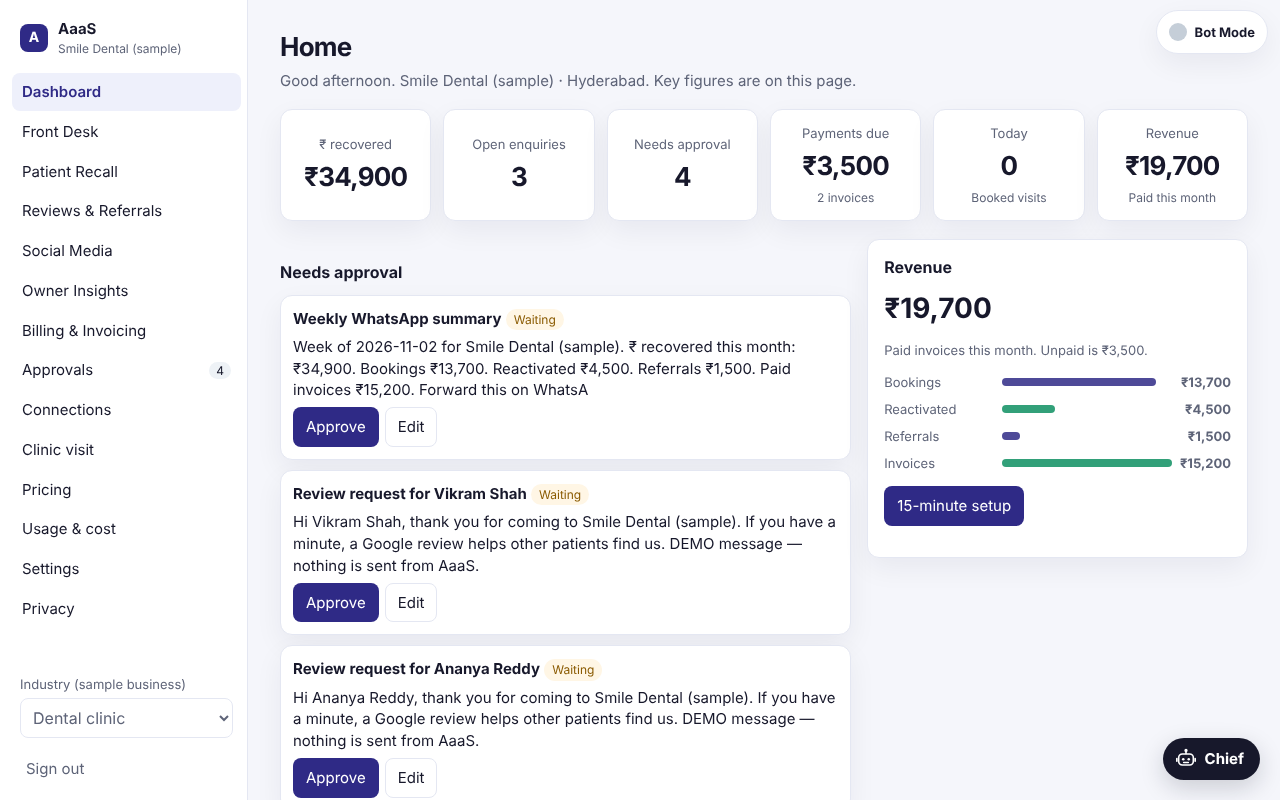
Keep contacts, enquiries, visits, tags and activity timelines together. Import or export CSV files.
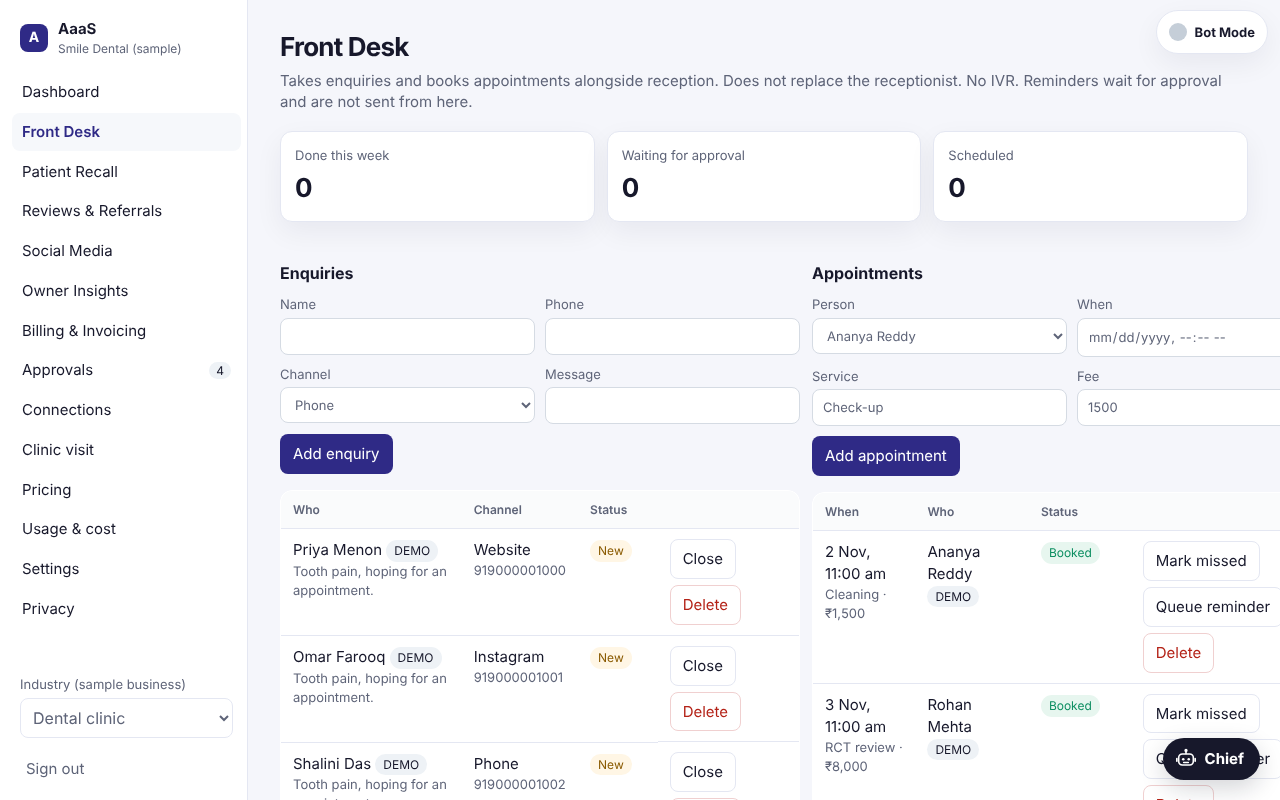
Review, edit, approve or reject outgoing drafts in one place. Nothing is sent until you approve it and connect a channel.
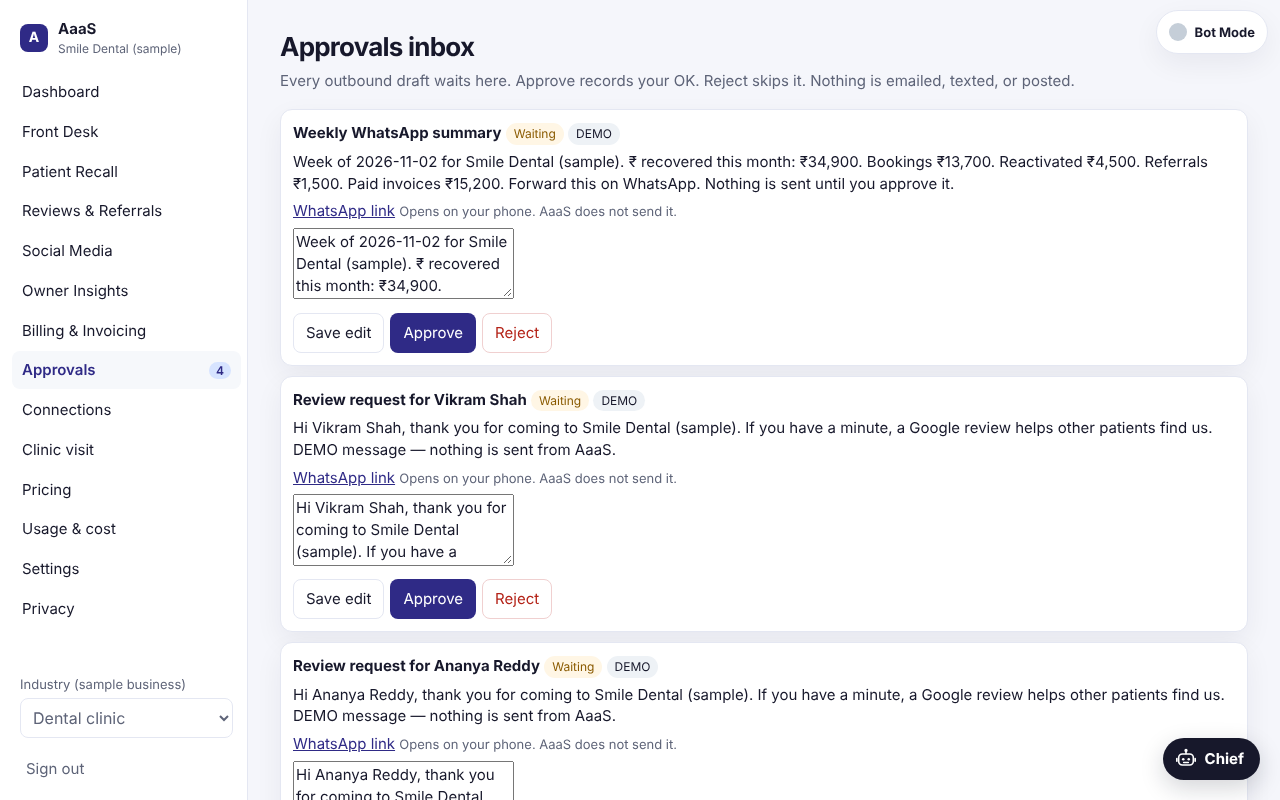
Create invoices, update payment status and prepare reminders.
Find customers who need attention and prepare follow-up messages.
Prepare posts for your review before publishing through a connected channel.
Get summaries of enquiries, follow-ups, pipeline information and payments.
Trust and privacy
Connect a supported AI provider with your own API key. Provider usage may incur charges.
Your customer records stay in your AIdentify workspace and are not automatically synced to an external CRM. CSV export is available.
Review the privacy, terms and data deletion information to understand how workspace data is handled.
AI prepares the draft. You decide what gets sent.
Trust
Chief can prepare a WhatsApp note, a festival post or an invoice. The send still waits. Accept or decline an unknown number without storing the message. A failed publish is quoted back to you, with the next step.
Enquiries and bookings, including an Accept or Decline for a number you do not know.
Festival posts are drafted when they are due. They publish only after the network returns the live link.
Invoices stay in rupees. Pay happens inside Razorpay, including UPI, and only after you start it.
What changes
Drafts, posts and payment reminders wait in Approvals instead of five different apps.
The person, the visit and the invoice sit on the same account. Another customer cannot read them.
Nothing goes out until you approve it, so you stay in control of every message.
Questions
AIdentify brings AI agents, customer records, follow-ups, invoices and approvals together in one workspace.
No. Create an account and choose your industry. To use AI agents, connect a supported provider with your own API key.
You can connect a supported AI provider with your own key. Your provider bills usage on your key.
No. Outgoing drafts wait for your review and approval. Sending also requires a connected channel.
Industry packs are available for clinics, coaches and consultants, real estate, salons and studios, home services, coaching institutes and other businesses. Clinic tools are for administration, not medical records or advice.
Yes. Organise customer records, enquiries, follow-ups and invoices in your AIdentify workspace. CSV export is available.
Customer records stay in AIdentify and are not automatically synced with Salesforce, HubSpot or another external CRM.
You can create an account without a credit card. AI usage requires your own provider key, and your provider may charge for usage.
Bring your everyday business tasks together and let your AI team help prepare the next step. You stay in control.